Overriding a core controller of Pimcore
I’ve been working on a Pimcore project for some time now, never touched PHP and Symfony in my life so it’s been a great challenge.
The documentation is great, I mean, seriously it’s great, but looks like it’s not made for beginners on the langauge/framework so everything that I’ve done I had to takes notes of it.
After learning that you can extend Pimcore by using bundles, I’ve spent hours and hours trying to override controllers, javascript methods and more stuff.
So in this post I’ll explain how I’ve managed to override a controller. How to override javascript files will come later 😎.
Creating the bundle
First of all we need to create a bundle for it, it’s pretty simple as its documented on the Pimcore documentation, we just need to run bin/console pimcore:generate:bundle --namespace=EmiDemo/EmiDemoBundle on the project folder.
It will prompt some questions but nothing to worry about.

It will create a new folder under the src folder with the namespace that we declared before, and inside we will have all the necessary files for the bundle.
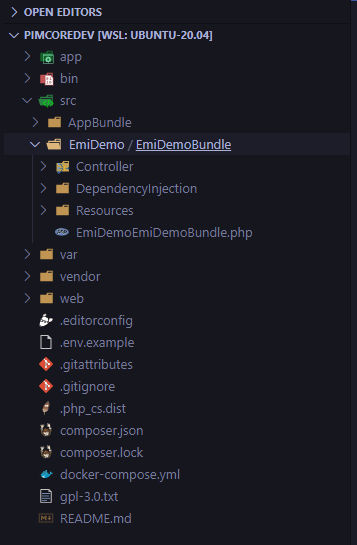
Also, the plugin will be detected by the Pimcore admin site, but it will be disabled, you have to enable it to start using it.

Overriding a method from a controller
For overriding a method in a controller, first obviously you need to find the action that you want to update, this seems easy but I’ll give you the way I usually do (learnt from my teammate Cesar).
First go into the page that you think the controller takes action, in my case I want to check the one that loads when we open an asset
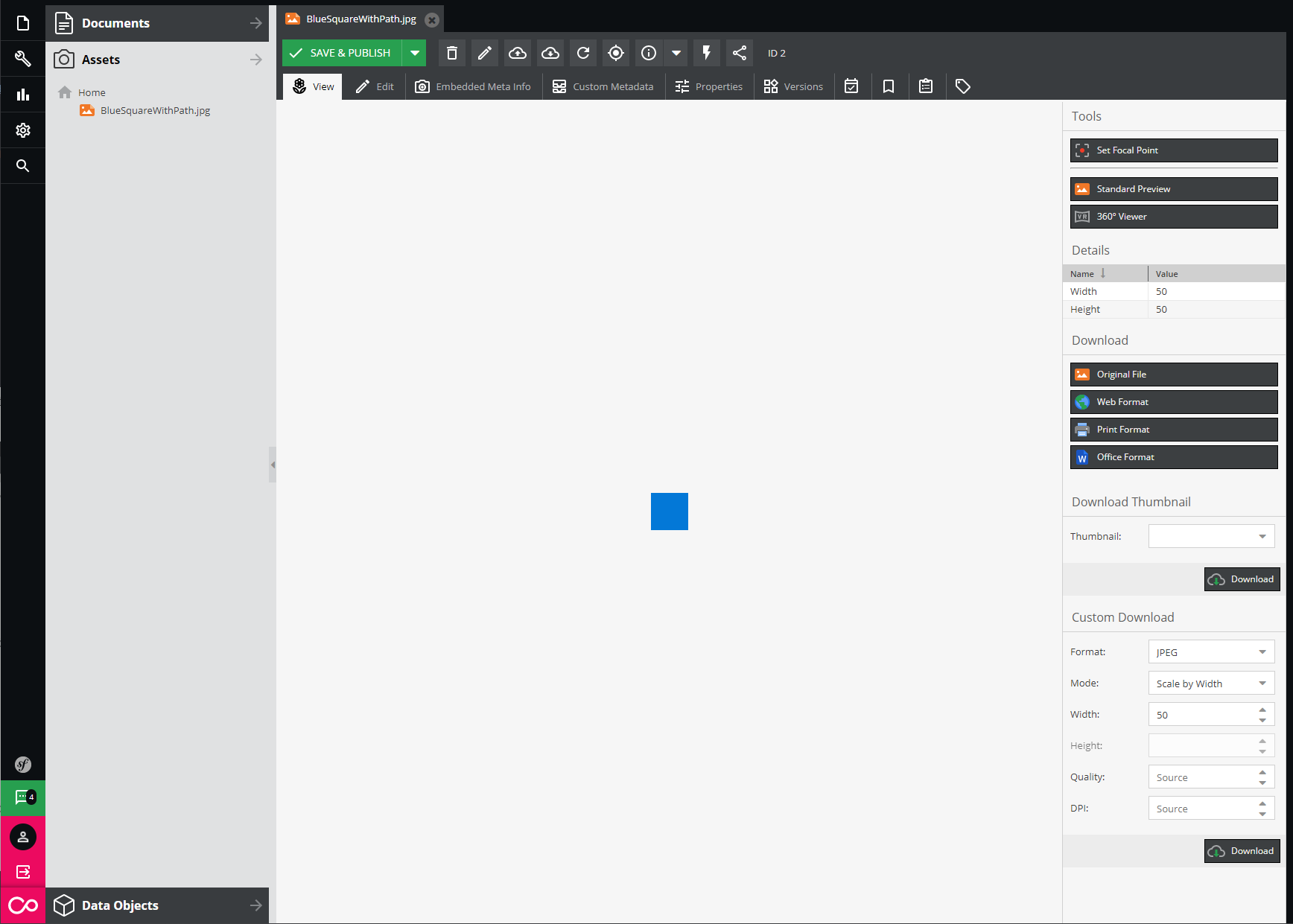
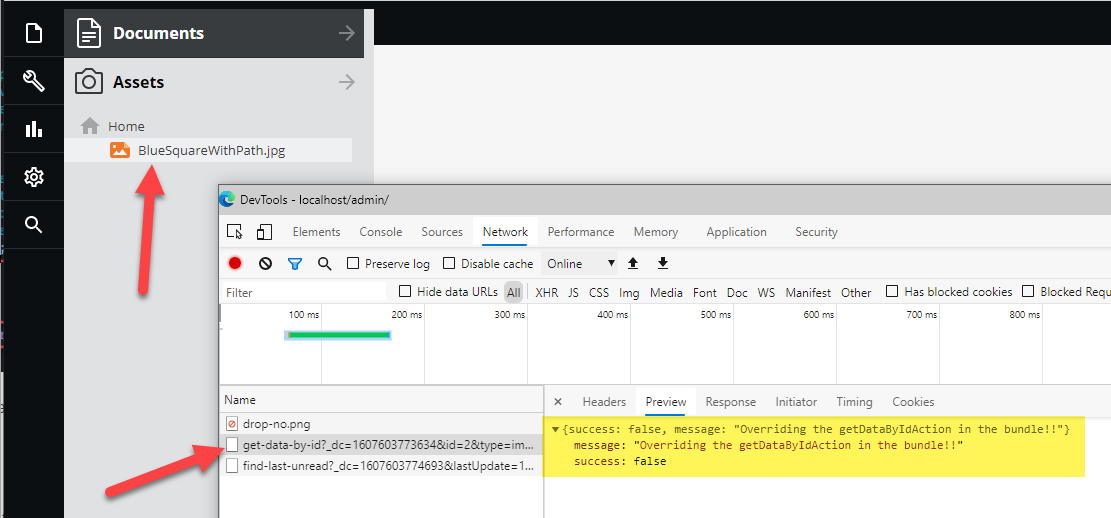
Then just open the console and go in the network tab, make the same steps again and try to find the action
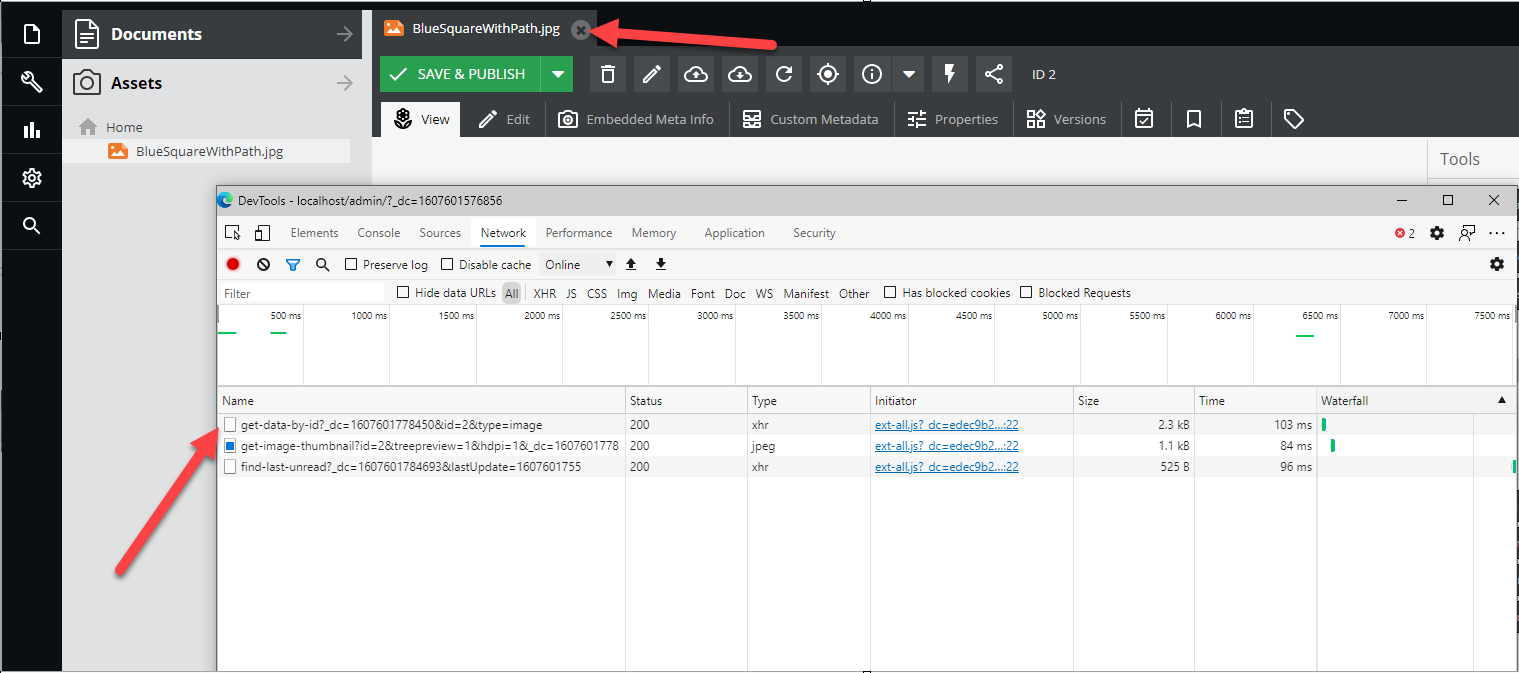
With this information you can see that the action that loads the asset is http://localhost/admin/asset/get-data-by-id?_dc=1607601778450&id=2&type=image. From that we can see that the controller action is get-data-by-id.
Find the action in the core controller
For me, the simplest way to do it is just to find in all files in the Visual Studio Code
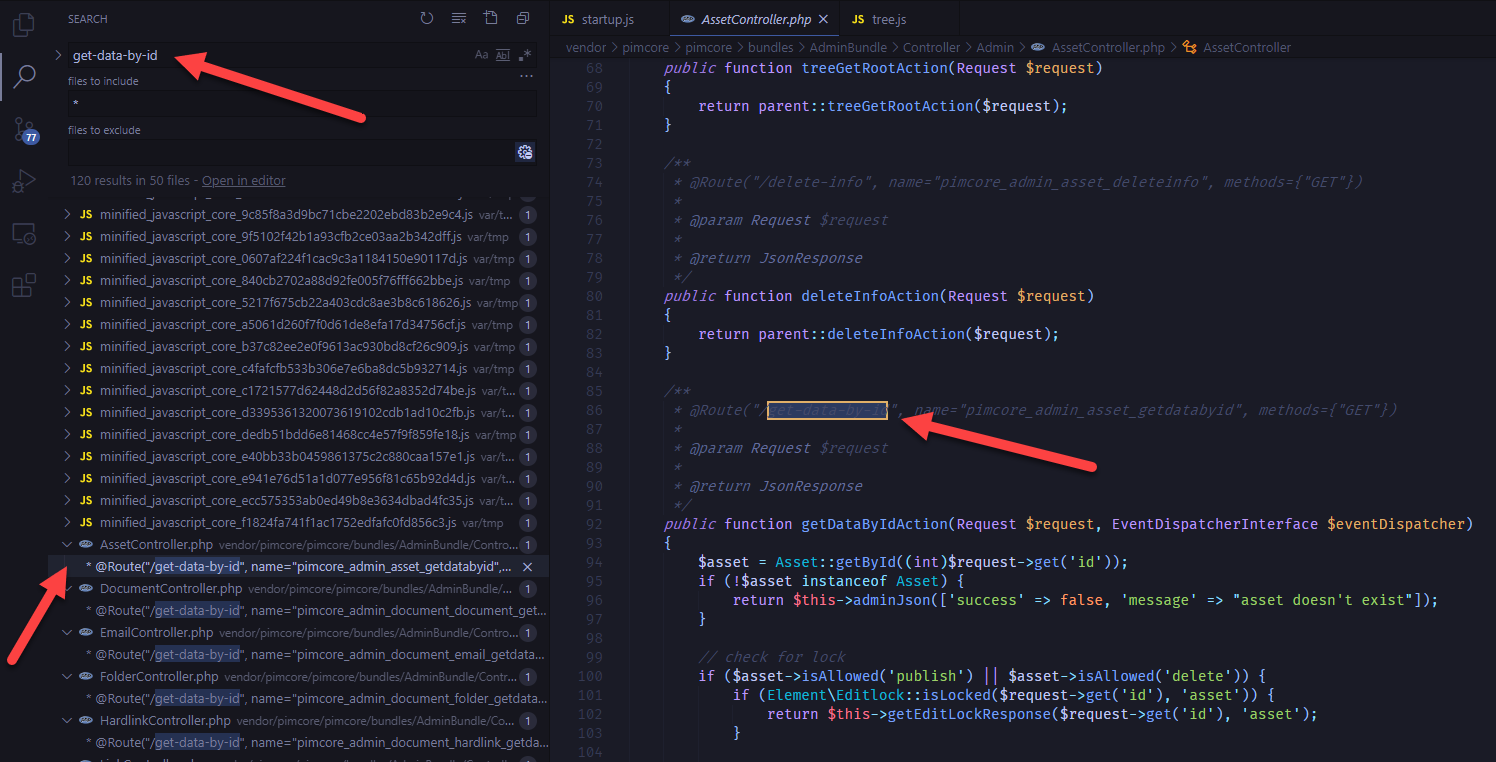
Probably it will find more than one so you must take a look and decide which one is the one, in our case we are working with assets so it’s clear that we want to use the AssetController.php.
Modify the core controller
It’s depends on the developer, I don’t usually do it because it’s faster to just override the controller and develop from there. But I’d recommend first to update the controller in the core bundle to see if your changes work.
In our case I will just return a message at the beginning of the method to check that it works.
return $this->adminJson(['success' => false, 'message' => "Overriding the getDataByIdAction in the core!!"]);
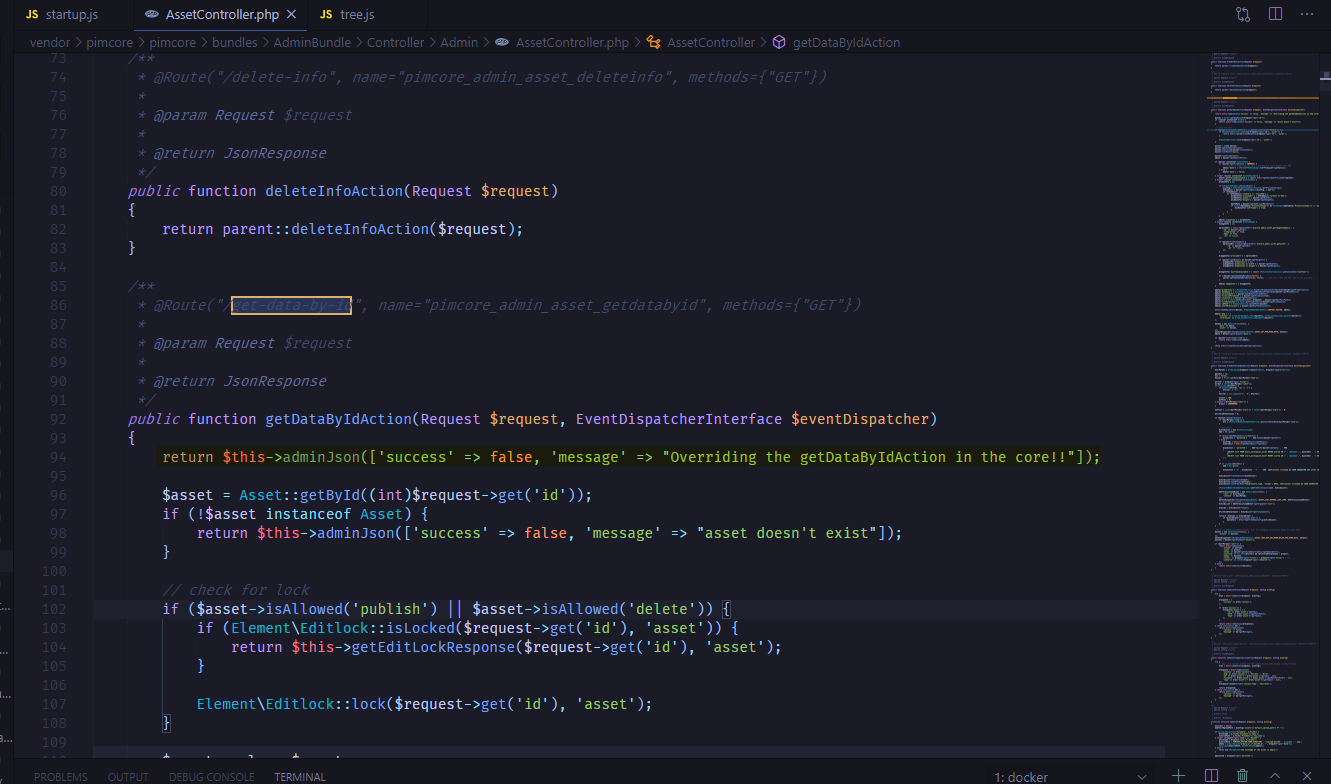
Then let’s reload our asset and check the network tab
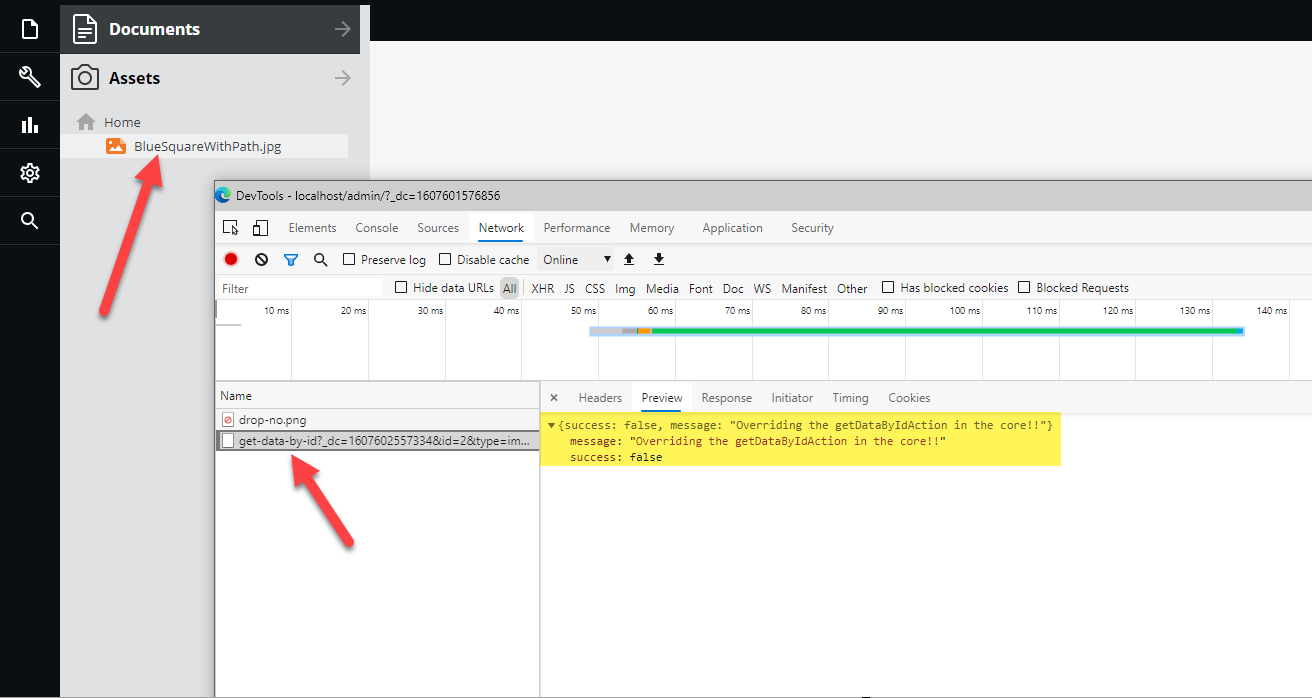
Let’s keep what we have in there, so later we know that we are using the bundle message instead of the core one.
Now let’s just copy that to a temporary file to have track what we did.
Move those changes to the bundle
Now in order to move those changes to our bundle, but first we need some stuff from our core controller:
- Namespace
- Imports
- Controller name
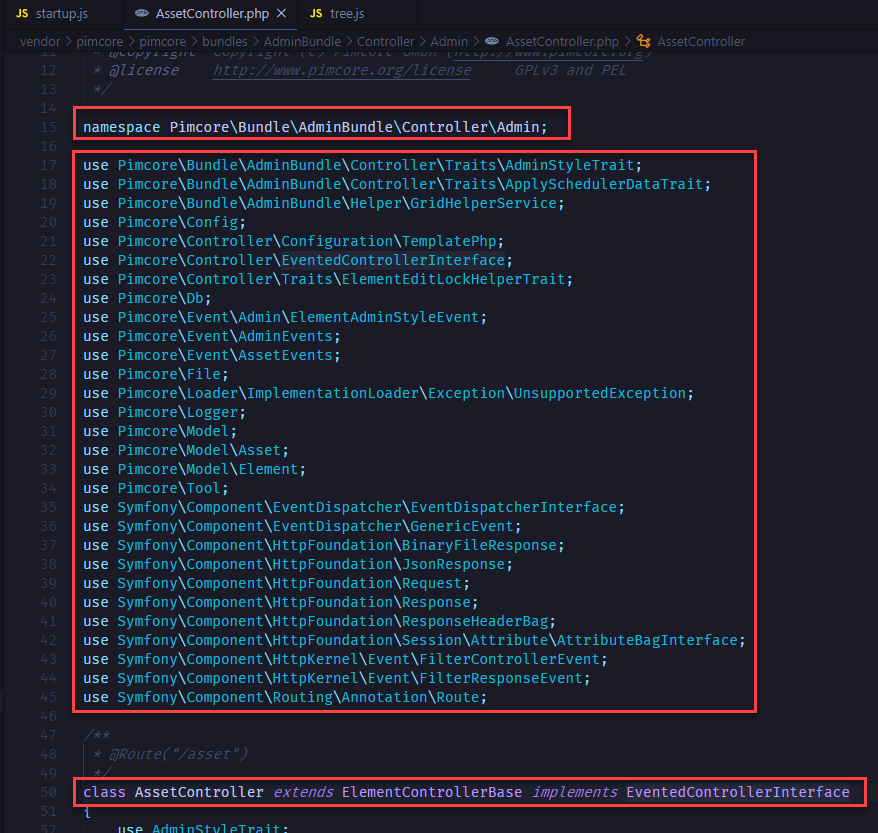
And obviously the method getDataByIdAction which is the one that we want to override.
Expose the controller
We need to expose the controller, in order to do this you need to go into the file /src/EmiDemo/EmiDemoBundle/Resources/config/pimcore/routing.yml and add
options:
        expose: true
Also we need to change the prefix to the one we are going to override, in our case the admin controller.
So in the end ti will look like this
emi_demo_emi_demo:
    resource: "@EmiDemoEmiDemoBundle/Controller/"
    type:     annotation
    prefix:   /admin
    options:
        expose: true
DefaultController.php
In our file, we will add the imports and extend the controller with the one we will overide
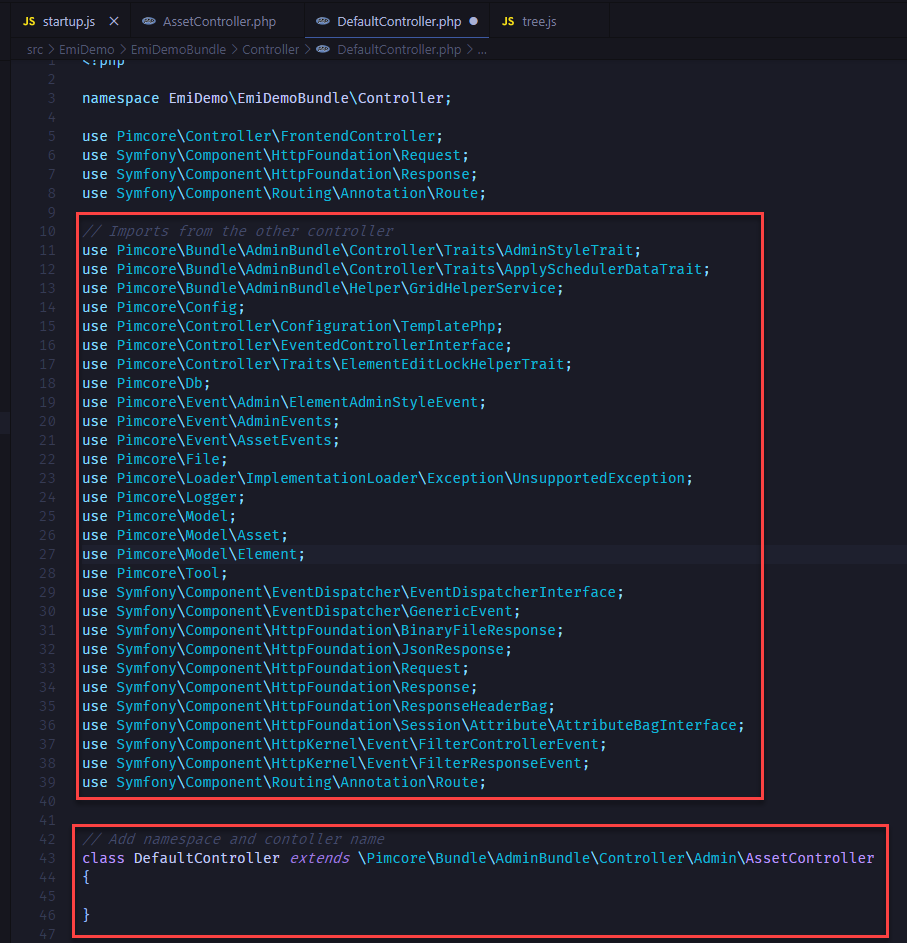
Then we will just copy the method from the core controller, and, in our case, update the message that we return.
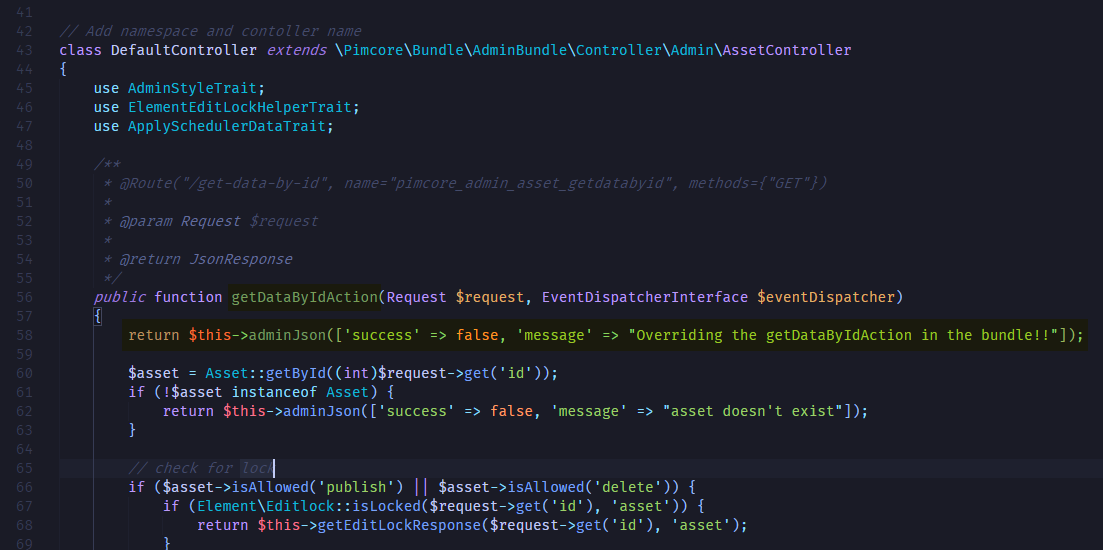
If you remember, we have a message in the core controller already: Overriding the getDataByIdAction in the core!! and now we should be seeing Overriding the getDataByIdAction in the bundle!!
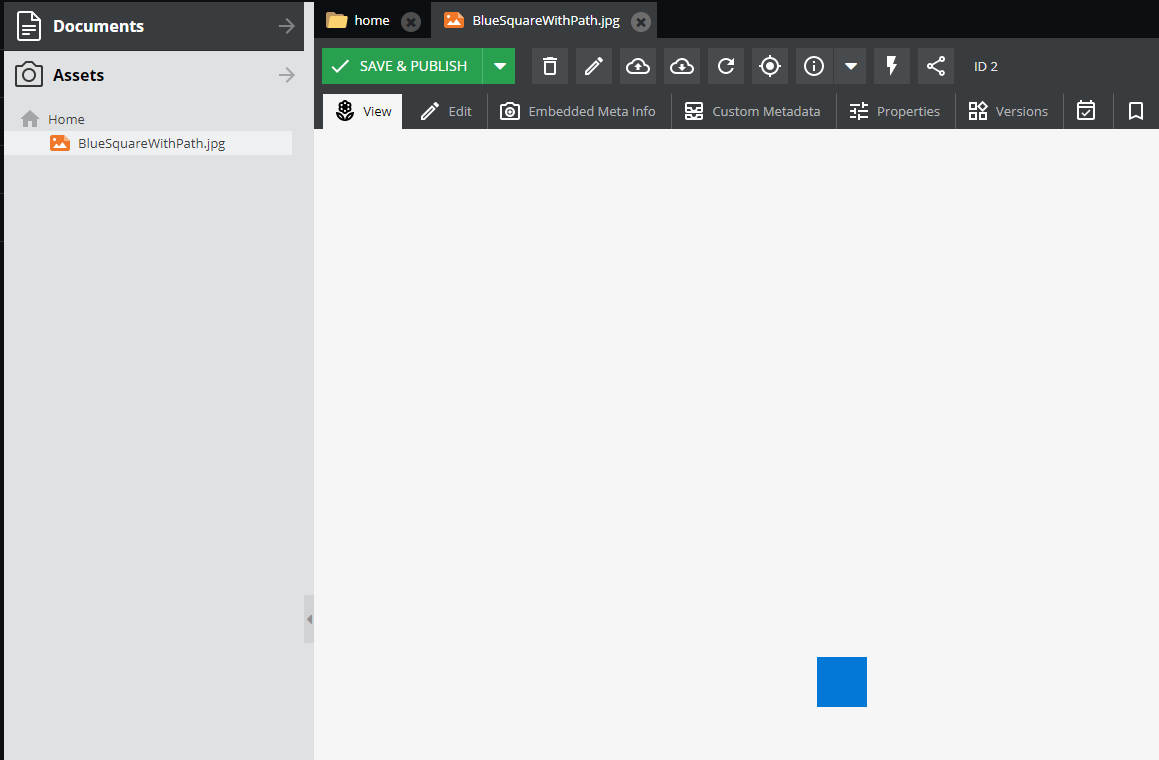
Let’s just not return anything and see that we can now see the page like it was before
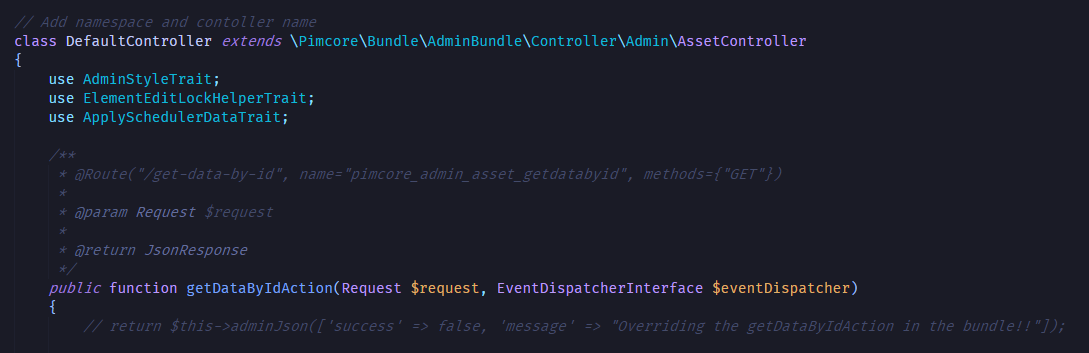
Comment out the return statement and reload
That’s it
And with this little demo you can see how easy you can override an existing Pimcore core controller. There are some steps that you have to follow but it’s nothing hard. Just make sure you expose the controller and clear the cache from time to time while you are making changes, sometimes it get cached and you are stuck thinking it’s not working and it’s just cached.
If you are wondering about how to override the javascript files, it will come in another tutorial 😁.