Handle loading components in Blazor
Blazor is awesome, truly awesome, specially when we do async stuff like loading boxes and it just looks good.
I’ve been trying to do multiple ways on how to handle loading pages, states, components, etc. And I think I finally found the perfect way to do it the way I want.
Idea
Instead of rewritting the logic for loading on each page or component, we build parent component with a ChildComponent, this will give us the change to just reuse multiple times.
LoadingComponent code
Code is pretty simple tho, theres not so much to do, a basic if with a loading property, a toggle function inside and it’s done!
@if (_loaded)
{
    <div class="text-center">
        <div class="spinner-border" role="status">
            <span class="sr-only"></span>
        </div>
    </div>
}
else
{
    @ChildContent
}

@code {
    private bool _loaded = true;

    [Parameter]
    public RenderFragment? ChildContent { get; set; }

    public void ToggleLoad(bool state)
    {
        _loaded = state;
    }
}
Usage
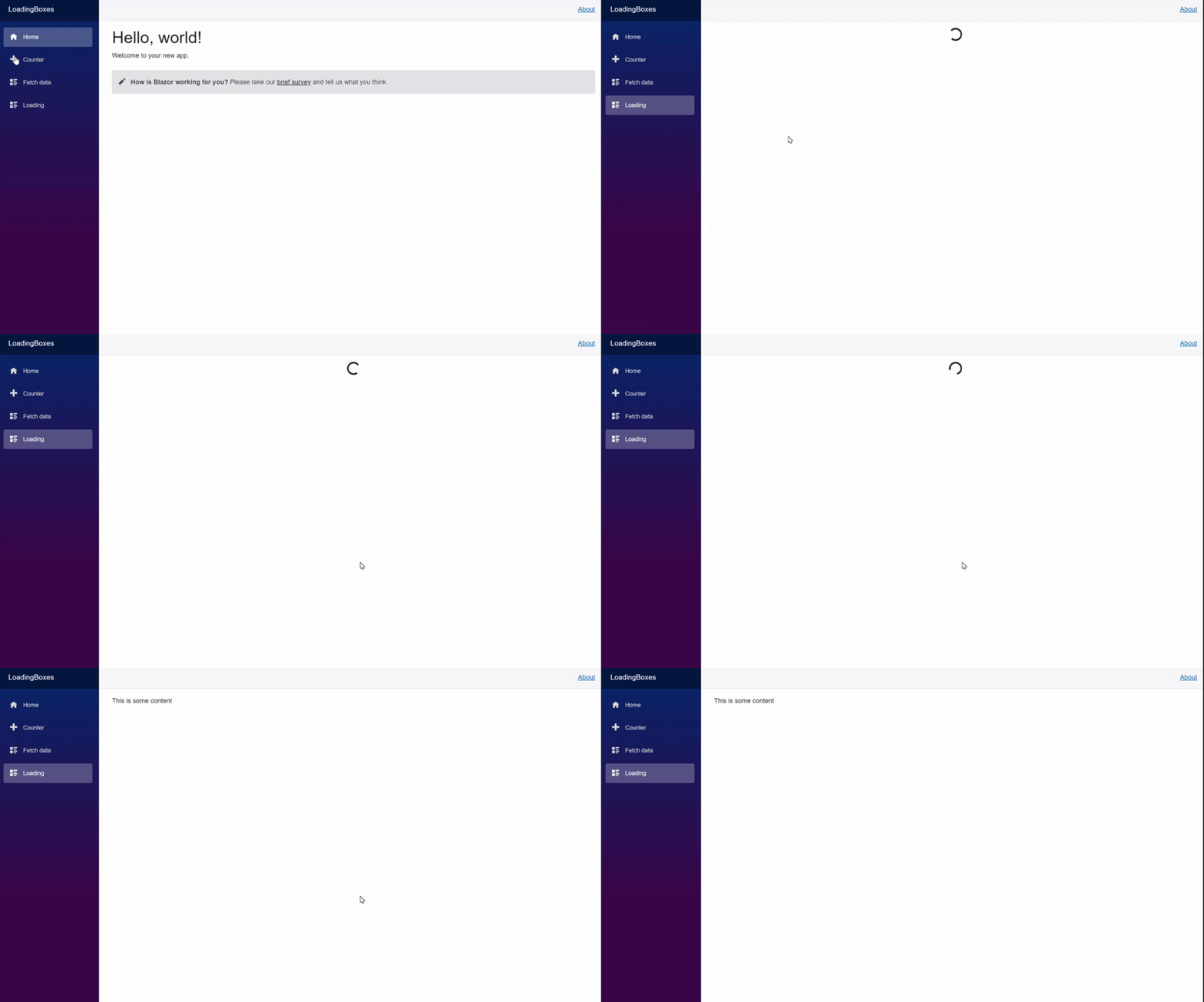
Usage is pretty simple, for the sake of testing we are going to use a new page and we put our content inside the created LoadingComponent component that we just created.
@page "/loading"
@using LoadingBoxes.Components

<LoadingBoxes.Components.LoadingComponent @ref=loadingComponent>
    This is some content
</LoadingBoxes.Components.LoadingComponent>

@code {
    private LoadingComponent loadingComponent;


    protected override async Task OnInitializedAsync()
    {
        // We are going to simulate some load
        await Task.Delay(5000);

        loadingComponent.ToggleLoad(false);
    }

}
This is how it looks
More funny example
Let’s say that we have multiple components that each of them have their loading times, we can build something that looks good on that!
Let’s create a fake loading component that we can reuse called FakeLoadingComponent.
@using LoadingBoxes.Components

<LoadingBoxes.Components.LoadingComponent @ref=loadingComponent>
    It took @ellapsedTime seconds!
</LoadingBoxes.Components.LoadingComponent>

@code {
    private LoadingComponent loadingComponent = new();
    private int ellapsedTime = 0;
    private Random rnd = new();

    protected override async Task OnInitializedAsync()
    {
        var random = rnd.Next(0, 5000);

        // We are going to simulate some load
        await Task.Delay(random);

        ellapsedTime = random/ 1000;

        loadingComponent.ToggleLoad(false);
        StateHasChanged();
    }
}
Then we just update the Loading page with multiple FakeLoadingComponent components and check the result!!
@page "/loading"
@using LoadingBoxes.Components

<FakeLoadingComponent/>
<FakeLoadingComponent/>
<FakeLoadingComponent/>
<FakeLoadingComponent/>
<FakeLoadingComponent/>
Now this looks way better

And that’s it!
If you have any issues or question, feel free to contact me on any social media at @emimontesdeoca (in Twitter is actually @emimontesdeocaa with two aa at the end). You can also find most of my socials on the blog’s header.
Hope you liked the post!